Technology, how we love it until something goes wrong and we end up yelling at our computer screens. If youve ever lost data, you know how much time, money, and headaches it can cost you to retrieve it, especially if you are a company. Data recovery doesnt have to be worrisome.
The acronym RAID, first used in 1988, stands for Redundant Array of Inexpensive (or Independent) Disks. RAID is an assembly of disk drives, also known as disk array, which operates as one storage unit. In general, the drives could be any storage system with random data access such as magnetic hard drives, optical storage, magnetic tapes, etc. RAID has several functions which include providing a way of accessing multiple disks grouped together to appear as a single device, spreading data access out over these disks which reduces the risk of losing data if one drive should fail, and improving access time.
Can RAID fail?
RAID undoubtedly offers more data protection than non-RAID disk systems. However, the management of the disks and the data distribution across them can be complex. Complex redundant systems can suffer failure, most often not a fault of the technology used or the design of the array, but most likely because of its failure to correctly apply these systems which leads to a single point of failure causing disastrous data loss.
No matter how well designed or implemented the RAID system is, there is still a factor that can cause RAID data array problems, the human factor. The more complex the system, the higher the likelihood for mistakes to occur. Note the following:
" Multiple drives can fail in an array.
" Arrays are normally boxed in a single case, so physical damage can affect multiple drives and the control electronics.
" Many people don't back up RAID systems because they're 'fault tolerant' - however they're not 'fault proof'.
" Think of a RAID system as an insurance policy for your data protecting you against drive failure. Drive failure entails employee downtime, lost sales, customer costs, lost opportunities, data restoration and re-entry costs, and intangible costs due in part to work day disruptions not to mention the cost of RAID data recovery.
There are several ways to store data using the different RAID levels:
- RAID 0, also known as data striping, distributes data across drives which results in higher data throughout. However, since it has no data redundancy, it does not protect against data loss.
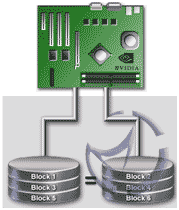
RAID 0
- RAID 1, also known as drive mirroring, works by simultaneously copying data to a second drive so no data is lost if there is drive failure.
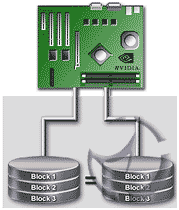
RAID 1
- RAID 0+1, RAID 1+0: - RAID 0+1 stripes drives into sets, and then the sets are mirrored. RAID 1+0 is something of the opposite where it's the mirrors that are striped.
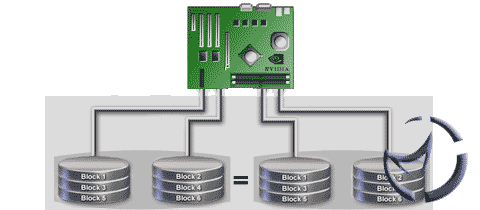
RAID 0+1
In both cases, no loss of data accurs when a drive fails. In the 0+1 array, two drives (one in each set) will take down the array. In a 1+0 array, the loss of all the drives in the mirror will result in lost data.
- RAID 2 uses Hamming error correction codes and is proposed for use with drives which dont have built-in error detection.
- RAID 3 stripes data at a byte level across several drives storing parity (a form of data protection used to recreate the data of a failed drive in a disk array) on a single drive.
- RAID 4 stripes data at a block level across several drives, with parity being stored on one drive. The parity information allows for recovery from the failure of any single drive.
- RAID 5 is similar to RAID 4 except for the fact that it distributes parity among the drives.
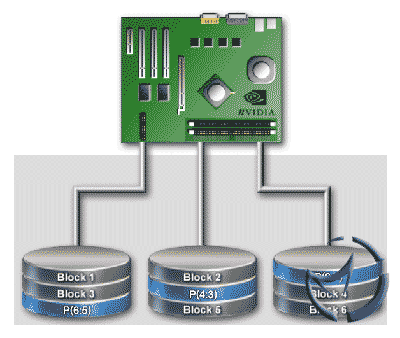
RAID 5
Final Words
With the use of RAID systems, there is no reason to be intimidated by computer systems. Just be aware that a backup plan is still recommended as certain arrays (such as RAID 0) is not fault tolerant and a drive crash will wipe out all your data. Fault tolerant arrays can also lose data if you do not replace a defective drive before the others fail.
About the Author
Alexandria Haber writes both fiction and non-fiction for a variety of people and places. As a result, she has had the benefit of gaining a little bit of knowledge about a lot of different subjects she would otherwise remain totally ignorant of. While researching this article on RAID recovery she gained a new respect for computer technology. For more information on RAID RECOVERY
If you have any comments, be sure to hit us up in our forums.
HOME