Cooler Master is a name synonymous with high quality cases and cooling accessories. They were among the first to market premium aluminum cases, and to this day, these cases are among the best designed on the market. Of course, for a premium case, you paid the price for it, and for many users, it's difficult to justify $200 for a case when some of that money can go towards something else.
That's not to say that enthusiasts on a budget want something that looks like it was picked up at ACME CaseZone. Cooler Master addressed this mainstream market with their Centurion line of cases, which shares many similar design features as their top-of-the-line cases, but uses steel instead of aluminum to reduce costs.
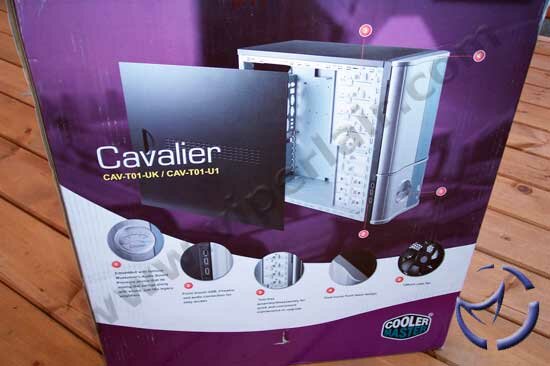
While I would consider their aluminum products high-end, the Centurion line is closer to entry-level. This is just my opinion, as I'm sure Cooler Master's marketing thinks differently, but the reason for my line of thinking is because of the Cavalier line of cases. These cases are hybrids of the high and low end parts Cooler Master manufactures, sharing design features of these products. Today, we'll be looking at their Cavalier 1, which is a tool free designed mid-tower ATX case that also features a "dancing" analog dial.
Inside the packaging box, the Cavalier 1 is wrapped by a plastic bag to protect it from moisture and secured by a couple of foam blocks. Other than the case, you'll find an instruction manual, and a number of accessories that go along with the case.
Specifications
| Dimension |
500 mm x 202 mm x 435 mm (D x W x H) |
| Material |
Aluminum Bezel , SECC Chassis |
| M/B Type |
ATX |
| 5.25 Drive Bay |
5 ( Exposed ) |
| 3.5 Drive Bay |
1 ( Exposed ); 4 ( Hidden ) |
| Power Supply |
Standard ATX PS2;350W |
| Front I/O |
USB 2.0 x 2; IEEE 1394 (FireWire) x 1; MIC x 1; SPK x 1 |
| Ventilation |
One 80 x 80 x 25 mm Front Fan ( intake ); One 120 x 120 x 25 mm Rear Fan ( exhaust ) |
Cooler Master Cavalier 1 – Exterior
The Cavalier 1 is constructed primarily out of steel, which is stronger than aluminum, but also heavier. Compared to their aluminum cases, the Cavalier 1 is noticeably heavier, but not shockingly so. I had no problems lifting it, and this is coming from somebody who normally gets winded from walking up a couple flights of stairs.
The front bezel is 100% aluminum, and is curved, much the same way as their Wave Master series of cases. The bezel is two toned, though the primary colour is silver, which matches the rest of the case. The paint job is very good, with no bumps or trapped air bubbles on the shell.

The bezel features a swinging door, which can be opened from pulling it from the right side. With the door opened, we can get a look at the five 5.25" external bays, and the lone 3.5" external bay. As usual for Cooler Master, they only give enough 5.25" bay covers so that one is always left exposed. The majority of the time, a user is going to put an optical drive there, but it wouldn't hurt to throw in the extra cover. I doubt cost is an issue, because the covers are made of plastic.
Behind these external bay covers are metal plates that are typical in most cases. These plates are the one problem I have with the case, as they are difficult to remove. I recommend you remove all the plastic bay covers first before pulling these plates off, as I did not and I ended up scratching the surface of some these plastic covers pretty badly. This happened when trying to pull the plate out from the front of the case, and I did not remove the plastic bay cover beneath the bay I was trying to open up.

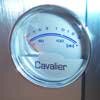
The Cavalier 1 comes with a preinstalled VU-Meter, which is an analog dial, that functions as a sound dial. It's LED backlit, and once it's hooked up (which we will explain later), it will reacted to the sound coming from your PC. I had hoped that it would actually react to the PC's noise level, which would be great for noise conscious users who could then troubleshoot noise zones. Unfortunently, it does not, and is merely there for aesthetics as it reacts to music or sounds routed through the sound card.
Next to the dial are the power and reset buttons, and just above are the HDD and power activity LEDs.
Facing the case from the front, on the right side we have a standard side panel. There are ventilation slits along the center of the panel, with a small recessed handle near the rear for removal of the panel. The left side has the same recessed handle, but in the place of vents, we have a case window.

As we can see from the rear shot, these panels are removed via thumbscrews and Phillips screws. Since the Cavalier 1 is an ATX case, all access will be from the windowed side of the case, thus have thumbscrews present for quick removal. The other panel uses Phillips screws, as it should be accessed less often.

As outlined in the specifications, there is a 120mm fan that is configured to exhaust air to the rear of the case and out. A factory cut fan grill is used to protect your fingers, though we would have preferred a more traditional grill to allow more airflow. The rear IO shield is removable if you have a specialized motherboard, but unfortunently, the IO shield is also factory cut. What this means is although you can take it off, you cannot put it back (had you removed it) if you have a motherboard you'd like to put in that has the same IO layout.

|

|
Rounding things out on the exterior are the FireWire/USB and sound connections. For those of you who prefer using headphones for late night gaming, or if you tend to plug in a lot of peripherals into the USB or FireWire ports, you'll appreciate the extra connections Cooler Master provides in the front. What I like about the placement, which are opposite sides of the front bezel, is that it keeps these connections from tarnishing the look of the case (at least when viewed head on).
NEXT