Maxtor 34098H4 - Read Speed
|

Seagate ST340016A - Read Speed
|
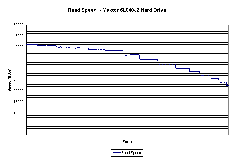
Maxtor 6L040J2 - Read Speed
|

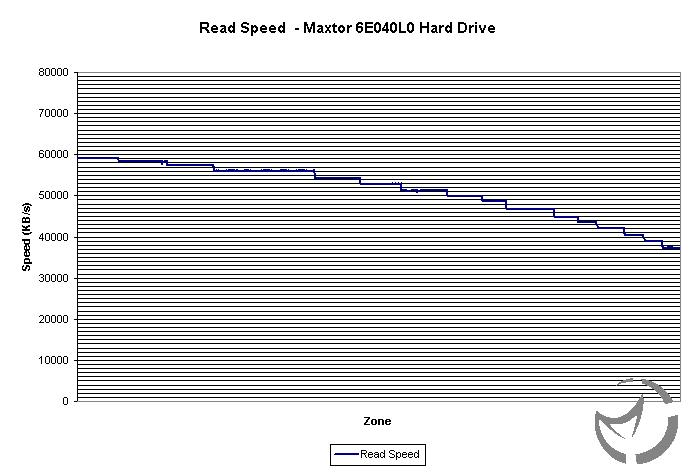
Maxtor 6E040L0 - Read Speed
|

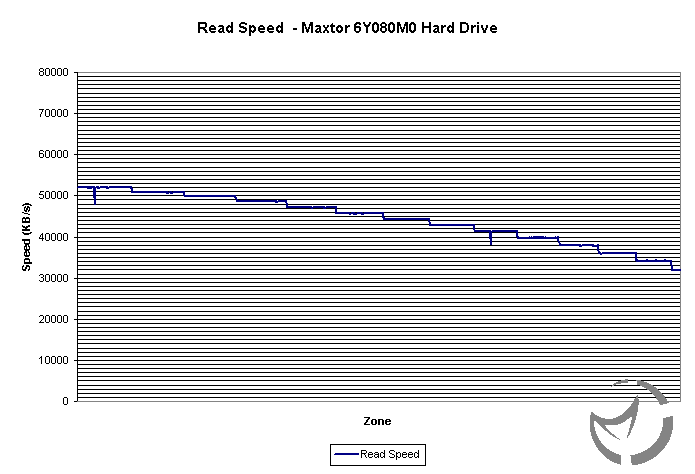
Maxtor 6Y080L0 - Read Speed
|

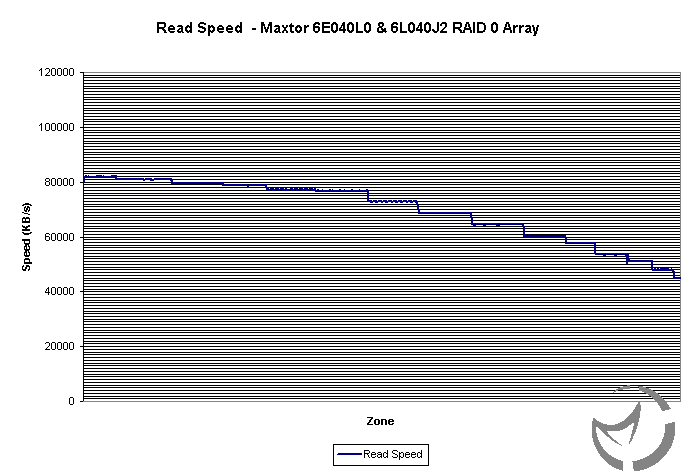
Maxtor 6L040J2 & 6E040L0 RAID 0 - Read Speed
|
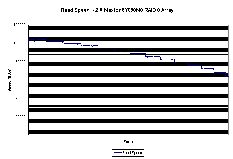
Maxtor 6Y080L0 RAID 0 - Read Speed
|

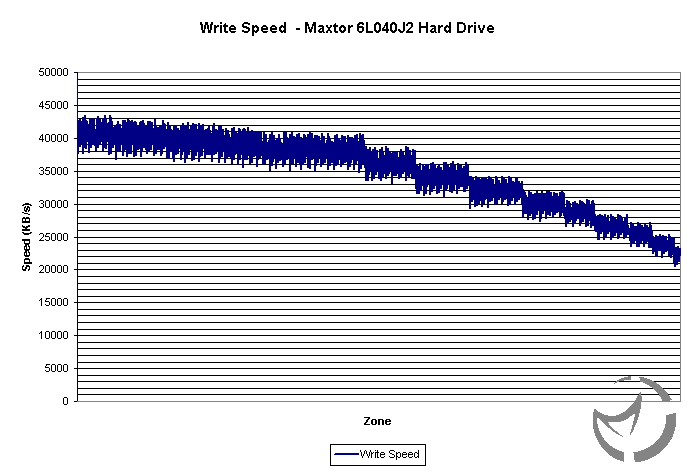
Maxtor 6L040J2 - Write Speed
|
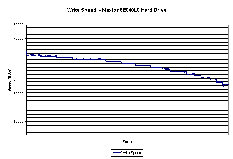
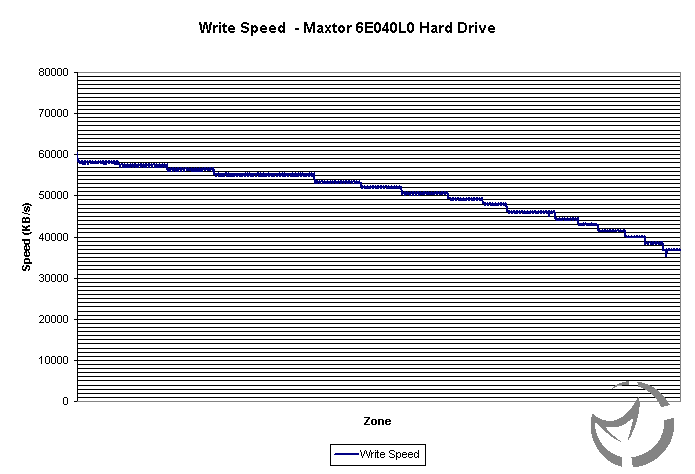
Maxtor 6E040L0 - Write Speed
|
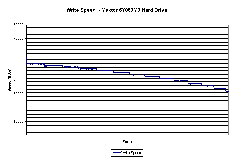
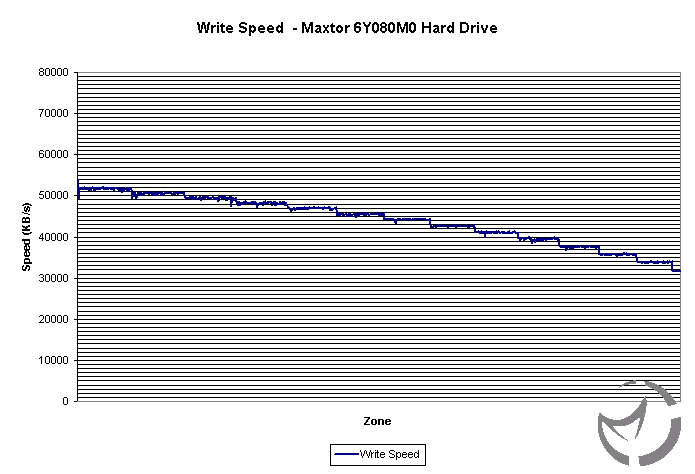
Maxtor 6Y080L0 - Write Speed
|
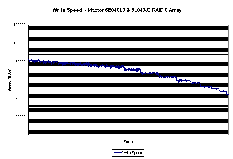
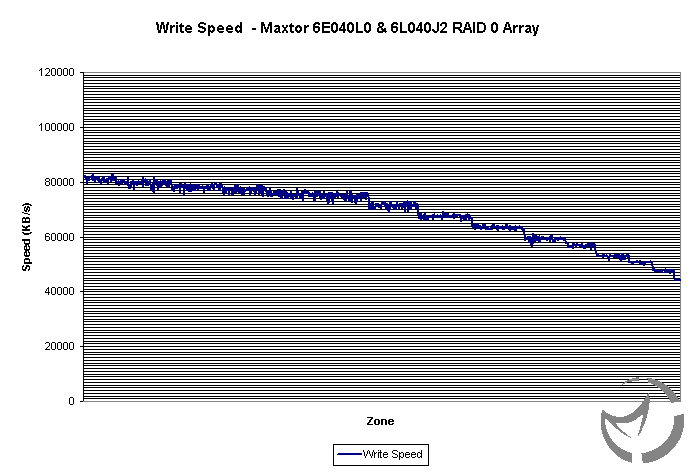
Maxtor 6L040J2 & 6E040L0 RAID 0 - Write Speed
|
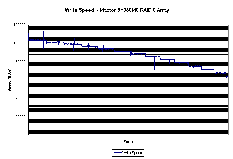
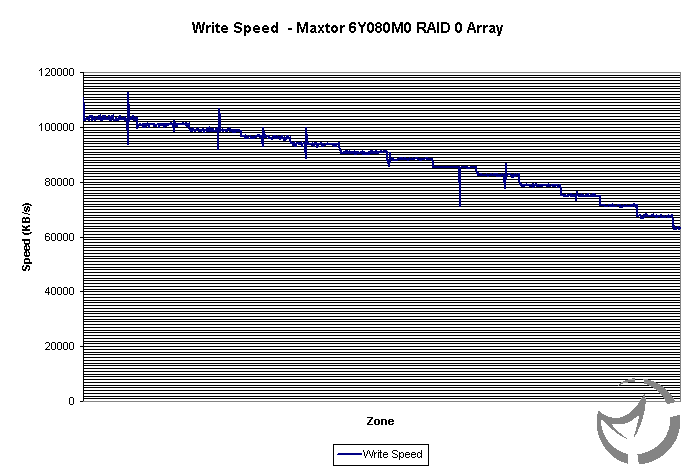
Maxtor 6Y080L0 RAID 0 - Write Speed
|
Here we see the performance of the hard drives in a direct copy from a RAID 0 Maxtor SATA array. The standard ATA hard drives perform decently, and for video capturing they should do okay, with only a couple of drops with uncompressed 720*480 video. However the SATA hard drive performs very well over 13MB/s faster than the nearest non RAID drives. The RAID array is only slightly faster than the single SATA hard drive. In the synthetic tests we see that the SATA RAID performance is very good, in fact double that of the single drive. Overall the performance of SATA on this system is very good, and it seems that the current implementation of SATA is going to be work out well.
Conclusion
So after looking at this motherboard, what can we conclude about its performance? How about its layout and included extra's?
First lets look at the layout of the motherboard. The layout around the CPU is rather clear of any obstruction, with the heatsink of the North bridge being the only obstruction that is nearby. The four DIMM slots are logically placed so that you don't mistake which ones give you the option for dual channel memory. The position of the power connector is in its best place in my opinion, and the placement of the hard drives is good, with the connectors being placed so that you can connect hard drives from the upper part of the drive bays and also at the bottom, which are dominated by the SATA connectors. Otherwise the layout is pretty standard, with one AGP connector and 5 PCI slots.
The included extras go above and beyond what MSI normally included with their motherboards. This is normally allot compared to most motherboard manufacturers, but MSI has included quite a few new things. Some of these are rounded IDE cables and power connectors for SATA hard drives. The flashing LED fan on the northbridge was annoying for me, but some may actually like it. The included software covers all of MSI's regular programs, which isn't a bad thing to have. CoreCell, while looking impressive, isn't that unusual, as all its doing is lowering fan speeds when it thinks it can do so, not the kind of control that I would like to give to the computer.
The BIOS was well laid out, and had many tweaking options. One interesting/funny addition was the dynamic overclocking options which have a military theme to it, from Private to General. The standard overclocking options are very extensive, with a FSB able to reach up to 500MHz (2GHz QDR), as well the CPu voltage can reach up to 2.3v and the ability to lock the AGP/PCI bus speeds. The RAID BIOS's were functional, with the Promise BIOS providing a little more in the way of information for the user.
The overclocking of this motherboard was a mixed bag, with the overclocking the older 1.8a Northwood chip not working so well, with the 1GB TwinX PC4000 kit, and memory settings didn't really do well, usually only working at the lowest timings possible. With the 2.4C processor it overclocked much better, reaching about 288MHz FSB before having some problems. I was happy with the overclocking ability of the motherboard, but the timings of the memory disappointed me as the memory used runs faster than this motherboard allows it to. The fact that it takes three reboots before the system resets from the a failed overclock is very annoying especially if you are reaching the limit of your overclock. Our first test board had a problem that didn't allow it to reach above 230MHz with the Corsair TwinX 4000 memory at 1:1 ratio and our second test board didn't work. Our third board did allow for the motherboard to reach 250MHz with the memory but nothing more, memory speed wise. The memory problems seem to be a common problem plaguing many 865PE and 875P motherboards that have been released, so MSI isn't alone
The performance of this motherboard is good, making it a decent upgrade from most 845PE based motherboards. Compared to other motherboards it does adequately, though we could only test in one piece of synthetic software. Normally at similar settings the MSI 865PE Neo 2 performed about 3%+ better than the 845PE motherboard. The hard drive performance was very nice to see, as SATA performance reaches that of the PCI bus bandwidth. Overall very nice performance from this motherboard from MSI.
Price has always been a strong point from MSI, with many of their motherboards offering plenty of features still being very inexpensive to buy. However this is not the case with this motherboard, as somewhat more expensive, compared to the Abit IS7 which offers much of the same features, but at a cost less than the MSI motherboard. Even compared to many 875 based motherboards it is still nearly as expensive.
Good Points
- Impressive Packaging
- 4 SATA drive headers
- Pretty Good overclocking
- Very good overclocking options
- Dual Channel Memory
- Good Performance
Bad Points
- Poor Memory timing settings
- Higher Price
- Odd overclocking results
- Not as fast as the 875
- Bad Recovery from OC failure
Bottom Line
A good performing motherboard with all the features you could want, though its poor compatibility with true PC4000 memory is not a good sign. Be aware that this is the case with many Springdale and Canterwood based boards, and make sure that you get a later revision of this motherboard.