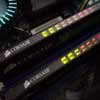
Many of today's ram modules being released are in excess of PC4000. Given the popularity of overclocking, and in some cases, such as the Pentium 4 2.4C, 250FSB OCs are not uncommon. Although these modules are clocked very high, their design makes low latencies very difficult to manage.
Corsair recently sent us a couple of sticks of their ram. As with their past TWINX kits, these are a couple of their XMS series ram, tested in pairs and validated for a Dual Channel environment. What is new about this kit is the modules are their new low latency PC3200 (200MHz, DDR400). Why lower latency ram? Unless you're moving to speeds past 250FSB, if you use lower clocked ram modules with tighter timings, the performance should be very good. For Athlon XP/64 owners, getting to such high FSBs is not that common. The Pentium 4 is also not guaranteed to reach 250FSB, and simply put, high speed ram modules with relaxed timings are a waste of money and potential performance.
With the Corsair TWINX1024-3200XL Pro we'll be reviewing today, we now have an opportunity to run at DDR400 with very tight timings. Can we go beyond that? We're definitely going to try.
Specifications
|
Part Number
|
Speed
|
Size
|
Package
|
CAS Latency
|
|
|
400 MHz
|
1GB
|
2x184 DIMM
|
2-2-2-5
|
The ram modules arrived in a hard plastic case, with each ram module fitted in the clear plastic shell. The only reason I'm pointing this out is because there should be no confusion in what you're getting. You have a clear view of the ram, and the labels (indicating the type of modules), and the packaging is heat sealed. This will cut down on fraud or repackaging that is unfortunately a real problem in the market. It should be pretty obvious to the buyer if the package has been tampered with.
The Corsair TWINX1024-3200XL Pro Memory Kit

As the title of the review implies, we received the the ProSeries modules which uses the larger heatspreaders and the activity LEDs. The ram kit is also available with standard black heatspreaders (Platinum coloured ones are also available). From an window modder's standpoint, the lights are going to be a big plus, as extra eyecandy will never hurt. From a reviewer's perspective, the lights are handy when testing various apps to stress memory. If I was using an app for testing memory, and there's no LED activity, I guess that app gets chucked aside. I would say the ram's LEDs would be useful for troubleshooting, as no lights mean no activity, but that is about the extent of its usefulness in that respect.
Compared to their standard XMS modules, the ProSeries have 95% more surface area.. There shouldn't be any issues fitting on standard motherboard/case setups. Small Form Factor users though, I am not 100% certain. I've seen elsewhere that the ProSeries fits in the Shuttle XPC with no problems, and I know the ram fits in our MSI MEGA651 and FIC Ice Cube without issues, but I can't say if this is going to be the case with all SFF setups.
The heatspreaders have mini fins throughout. In theory, the fins increases the surface area, and should help dissipate more heat than before. In practice, the ram is still hot to the touch, though not quite as searing as regular heatspreaders.
I'm preaching to the choir here, but heatspreaders have yet to convince me that they effectively cool ram to the point where it will make a difference in overclocking. They do look swank though, and I guess any cooling included won't hurt. What I was told by a marketing rep was that heatspreaders will reduce EMI since it shields the ram, but I don't have any quantitative proof of that.

A closer look at the modules, and we can see the sticker letting you know the specs of that stick of ram. We can see that it's a 512MB stick, rated at 400MHz, with ram timings of 2-2-2-5. The timings refer to the following, in order: CAS latency (Tcl), RAS to CAS delay (Trcd), Min RAS active time (Tras) and the RAS precharge Time (Trp). Lower numbers will result in better memory performance at the expense of stability, depending on your ram's willingness to be tweaked. At 2-2-2-5, these are pretty good numbers for any ram kit, and we'll see how high we can move past 400MHz while maintaining these timings.
Another feature to take some of the guesswork out of tweaking is Corsair's Plug-n-Frag SPD timings which will automatically tune in the rated timings if your motherboard is capable of it.
Overclocking
With the timings already fine tuned, we were curious to see how high we would be able to overclock the TWINX while keeping the ram at 2-2-2-5. Armed with our MSI K8N Neo, we proceeded to bump up the FSB, while leaving the DRAM speed setting at auto. At 2-2-2-5, Memtest would fail continuously at anything past 210FSB. However, Windows instability did not occur until we reached 216FSB. We needed to bump the voltage up to 2.8v to reach 215FSB, but unless I relaxed the timings to 2-3-3-5, the system would not pass 215FSB.
At 215FSB, 2-2-2-5, the system would successfully boot into Windows, but I experienced some lockups with our gamin benchmarks. We hard locked the AGP at 66MHz, but that didn't seem to be the cause of these problems. After about an hour, we began to experience issues with reboots, and it became so bad that a reinstall of Windows was required.
We switched over to our Albatron PX875P to see if we would have better luck overclocking. In the past, we've had good success with 250FSB+ overclocks, so we were hoping the XL would do better here. On the P4 platform, we were able to reach 220FSB at 2-2-2-5, and boot into Windows. Memtest failed at 212FSB though, and like the AMD platform, we noticed oddities in system behavior at 220FSB. Lowering down to 215FSB brought stability back, and we were able to perform all our tests without issue.
The maximum overclock we managed was 231FSB, but we were required to lower our timings to 3-4-4-7 to reach that. Certainly, if you have any intention of high OCs, you're better off going with some PC4000 rated kits. Nonetheless, here are some numbers to chew on with our Pentium 4 board and SiSoft Sandra:
| |
Int Buffered iSSE2
|
| TWINX-3200XL Pro @ 200 (2-2-2-5) |
4899
|
| TWINX-3200XL Pro @ 215 (2-2-2-5) |
5012
|
| TWINX-3200XL Pro @ 231 (3-4-4-7) |
4926
|
As you can see above, the tighter timings, despite the lower clock speeds, do make quite an impact in performance. We've seen 250FSB numbers score better than this, so if that is the clock speed you're looking at, this ram is not for you.