Introduction
Online gaming is great fun. Gaming enthusiasts will spend hours a day either playing games or perhaps designing and planning upgrades for there computers to help with the latest in game technology or simply to help give them an edge over the competition. The mouse to the majority of gamers is probably the most important and researched item on there lists but some gamers go a little further than that, widening there research to not only include the mouse but also the mousing surface.
Finding the correct combination is like finding a comfortable pair of shoes; not everyone is looking for the same thing and sometimes there willing to spend a little extra to get the best. So when it comes to mousing surfaces, what is the best? Cloth and Foam mouse mats are pretty common. A variation on those is to laminate over the cloth. I've seen rubber and plastic pads of varying designs, even aluminium pads. But how about a glass mouse pad? That's what we have here today, a glass mouse pad from (and coincidently named) .

Specifications and Information
Dimensions:
250x210x6.2mm
6x Polyurethane feet
Optical mice
Black Icemat has been tested and approved with the following optical mice:
Microsoft:
-Wireless Intellimouse® Explorer
-Intellimouse® Explorer 3.0
-Optical Mouse Blue
-Optical Mouse Blue, wireless
Logitech:
-MX 300
-MX 500
-MX 700
" Every gamer in the world must be aware of the supreme performance AND the long lasting durability provided by the surface of Icemat. All we do - we do to obtain: Sliding Perfection! "
A Closer Look


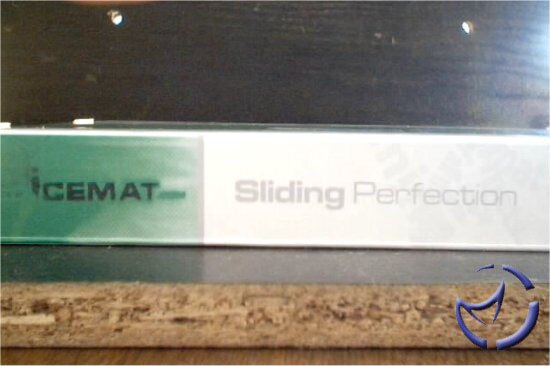
The packaging for the IceMat, in theme with the Ice name, is mostly white. The depictions on the box in green really don't tell you anything of what to expect inside but the descriptions offer a bit more information. You can also determine a lot from the weight as being made from glass does make it quite a hefty item.


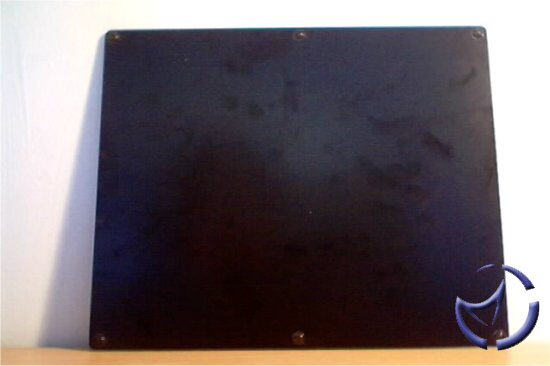
Opening the box reveals white polystyrene to protect the IceMat during shipping, and opening this presents you with the IceMat itself. Despite the white box and Ice name, the IceMat we have here today is not the original white/clear glass mat, but IceMat's "After Dark" Black surface. The IceMat is made from glass and retains a generic oblong shape and size as found on any generic cloth mat. The surface of the IceMat has been designed to grip the mouse ball beyond that of other mousing surfaces, as well as provide a frictionless surface to glide your mouse across.


Starting on top of the mat we can see the black surface provides a muted effect to the logo. The reason for this is that whilst the glass itself is clear, it is slightly frosted and the colouring and logo are printed to the bottom of the mat so as not to interfere with the control of your mouse. The logo is reserved to one corner of the mat, the bottom right corner, leaving the rest of the mat a matt black. This provides a very clean and exclusive aesthetic which would look professional in even the most up market of business areas.


Each of the corners and along all 4 outside edges have been carefully rounded since as the mat is constructed from glass it could potentially be quite hazardous to one's fingers. Turning the mat over we are presented with more of a glossy finish, which is quite susceptible to finger prints and greasy marks. However since it is on the rear you won't be seeing any of them.

There are 6 polyurethane feet to keep the mat in place during use, 4 in each corner with 1 top, 1 bottom of the centre area.
The mats construction gives a fantastic sense of quality and exclusiveness that isn't to be found on any other mat that I'm aware of; it really is very professional in its appearance.
In Use


This is a very subjective part of the review but hopefully I'll be able to include enough information to help you make your own minds up. To test the pad I've been using it in both every day normal tasks such as web browsing or just clicking icons etc, as well as an intense few days of non-stop gaming (woe is me). Games of choice have ranged from to ( and Duel) to Medal of Honor (specifically the bombed out town full of snipers level). What I've been looking for here is to see the difference in the feel of accuracy both from my own sensory feedback as well as how I felt it affected my gaming. Weapons of Choice here have been the Intellimouse Explorer V3.0 and the rotary ball mouse. In comparison I've used a cheap laminated mat (urgh) and the desktop surface itself. The precision was determined in the following ways:
1) Sniping in Medal of Honor
2) Rocket Jumping in Quake III Arena
3) Pixel by Pixel drawing in Photoshop
4) Moving the mouse from lower left of screen to close a window


I'm very much a fan of optical mice which can afford me less maintenence as well as no need for a mat in the first place, allowing me to use up any spare desktop space I might have. The laminated mat is both restricting and not very slick, which can be problematic not only in games but also in every day use.
Using the Desktop has one big bonus and this obviously desktop real estate. It does however provide very poor traction for ball mice and requires a lot more cleaning then either of the other 2 surfaces used. Friction, whilst reduced does need a bit of a helping hand, with a bit of polish to both clean and maintain a slick surface, but this is also counter productive to traction for balled mice.
The IceMat, whilst restricting your overall movement area suffers from none of the other problems, with the surface being almost frictionless yet still provides enough grip to be able to stop the mouse intentionally without loss of control, perhaps to make a head shot whilst sniping. Trying to explain the frictionless effect only brings to mind a cushion of air but yet the traction in both ball and optical mice is enough to be able to stop where you want and when you want with no sloppiness or overshooting the mark.
I personally found the overall size restrictive for gaming, but users of standard mouse pads of a similar size will find the IceMat a complete dream to use in both gaming and every other task required of your mouse. It does however have an issue that the desktop and laminated mouse surfaces don't have and that is added noise. It isn't overly loud, it's a sort of cross between a squeak and a scratching noise but I feel that once you've gotten used to it you probably wont notice it after the first half hour or so. Perhaps you have a glass coffee table at home in your living room; go move a cup across the surface of it and take a listen, then you'll be able to imagine the kind of sound you will get from this mat, albeit at a reduced level. I'm also pleased to say that the 6 feet grip the desktop well with next to no untoward movement during frantic gaming.
The people at IceMat also included some IceMat Padsurfers to aid in frictionless movement and so enhance accuracy. I often tape my mouse feet with some clear tape to create a similar effect but the tape does have a couple of advantages over normal tape. For one, it will last longer. Since writing this review I have not changed the tape once and it still remains as "fresh" as the day I applied it. I would probably have changed the clear tape at least 3 times by now. The tape also reduces the noise created by movement on the mat, although the tape does the same but to a lesser degree. Friction wise I really couldn't tell the difference between the Padsurfers and clear tape but the longevity of the Padsurfers make for less maintenance that's for sure.
All in all I would have to say the IceMat's promise of sliding perfection is pretty damn close, with only the overall size of the mat being a disadvantage to me personally.
Final Words
have a very stylish and exclusive looking mat on there hands here, and rather than letting its natural good looks become its entire selling point the IceMat performs extremely well too. IceMat's After Dark is probably the most professional looking surface I have come across and gives a very up market presence to your desktop. In use the mat performs as promised, giving you an almost frictionless surface but maintaining enough traction to be able to stop your mouse when and where needed without thinking about it.
Accuracy is high, but the one area in which the IceMat could be improved for me personally is the size. At 250x210x6.2mm the IceMat isn't much bigger than a generic mousemat which for someone like me who prefers a lot of room can make it quite restrictive. Users of standard mouse pads will love this mat and all the benefits to accuracy and effortlessness it affords you from its near frictionless surface. Many thanks to for supplying the for review.
Pros
Outstanding appearance of professionalism and exclusiveness
Almost frictionless surface
Traction enough for ball mice to be highly accurate
Traction enough to stop mice when and where you want with ease
Feet provide plenty of grip
Cons
Size could be a bit bigger
Noise from mouse movement is enhanced
Bottom Line
This is one very up market looking mousemat that delivers on its promise of "Sliding Perfection". The size can be somewhat restrictive for those used to bigger than average mousing surfaces, but overall this is a very high quality mousing surface.
If you have any comments, be sure to hit us up in our forums.