|

As much as I enjoyed the All-in-Wonder VE, one of the problems I did have was the lack of a remote. You see, I'm a lazy slob, and if I'm leaning back in my chair watching a show, the last thing I feel like doing is leaning forward and using my mouse to change channels.
Now, my description above is not a good one, at least, not good enough to actually make anybody want to get up and buy a remote for their PC. A more realistic scenario, is if your PC is part of an entertainment hub, and the actual computer is 8-15 feet away from you. I do use the AiW VE in our family room, so I want to be able to switch channels from the comfort of my couch, without the need of fumbling about on a keyboard and mouse.
Another scenario, is if you're, uh, entertaining guests, and have your PC playing some Michael Bolton to get into the mood. I guess it can be a real mood breaker to not get up and shut off the PC, so this is where a remote can come in handy.

The ATi Remote Wonder is a remote control that was packaged starting with the Radeon 8500 AiW. Since the release last year, the remote has been sold as a standalone product. Ideally, you'll want to have some kind of TV-Tuner to get the most out of it, but versatility us the key here, as the Remote Wonder is designed more than for channel surfing.
Specifications
Wireless remote control for your PC
Works through walls using RF technology even when not aimed at the receiver
Easy to install to an available USB port
Integrates perfectly with all RADEON™ graphics products
Features
The wireless remote that works through walls
Full control of your multimedia options
Experience pc freedom
ATi Remote Wonder
The Remote Wonder is packaged in your typical ATi red and black box. Everything is neatly packed, and there's enough packaging to keep the parts from bouncing around like a pinball machine.
Inside, you'll find the remote, 4 AAA batteries, a driver/software CD, and a USB receiver. You also get a user manual and reference card, which can come in handy as you first start using the remote.
Click to Enlarge
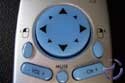
The remote is exactly the same, layout-wise, as the one packaged with all their high-end All-In-Wonder cards. It looks pretty sharp; being silver with blue buttons, and looks a lot better than your typical PC remotes.
ATi doesn't skimp on packing the remote with functionality. The usual suspects are present; hot buttons for various media options such as DVD, and TV, as well as your common "remote control" buttons such as number buttons, fast forward and rewind, record, play, pause and stop.
Other than being a multimedia remote, the Remote Wonder also acts like a wireless mouse. The large thumb pad is used to navigate the mouse cursor around the screen, and you have a left and right mouse click button as well. In theory, you can do away with your mouse if you plan to run a multimedia PC in the living room, since the remote can do everything a mouse can.
There are a number of buttons, "A" through "F", scattered about the remote. I think it would have been better to place them closer together, but I guess it would make the rest of the layout on the remote awkward. These buttons can be mapped to certain functions, which I'll explain later on.
Click to Enlarge
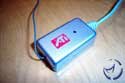
The RF USB receiver has a maximum range of about 30 feet, but realistically, this range shouldn't be a problem for most people. The receiver and remote work on a 433MHz frequency, which is free for use in North America and Europe, so you shouldn't have to worry about it interfering with any other wireless devices in your home. I did find the USB cord a little short, considering there's a lot of EMI noise a computer, but our remote worked fine with the receiver sandwiched between the monitor and PC.
For those of you building a PC based TiVo, there's a strong chance you already got this remote, since the All-In-Wonder cards are arguably the most popular cards for these setups. If you were thinking of picking up an AiW VE, which has no remote, naturally, an extra Remote Wonder would be handy. If you're concerned about using the remote, and accidently sending a signal to the other receiver, don't be. There are 16 different ID values you can assign, so there isn't any worry of getting the remotes mixed up when trying to change the channel on one PC.

Click to Enlarge
Installation shouldn't take more than a couple minutes. Simply drop in the four batteries into the remote, and install the receiver into a free USB port. Any version of Windows above 98 SE should acknowledge the presence of the receiver, and it's just a matter of installing the drivers and software.
Software

The main piece of software you'll be interfacing with is the ATi Remote Control software. We mentioned earlier that there are a number of programmable buttons on the remote, and it's the software that is used to map buttons to various Windows commands. You can also set it up to launch various applications, but you'll need specific plug-ins for the app you wish to configure.

Previously, one of the most annoying aspects of the Remote Wonder was the horrible mouse response time. Navigating from one point on the screen to another was an exercise in frustration, and the only way to fix it was to speed up your Windows mouse speed. This wasn't exactly my solution of choice, as I'm sure not many people were keen on this. The current version of the Remote Control software addresses this issue by allowing mouse speed (via the remote) to be independently adjusted outside of Windows.
There isn't any way to benchmark a remote with synthetic tests, so I figure the best way to test the remote was to subject it to a series of real-world scenarios.
Application Testing
Naturally, being a remote, I wanted to test the Remote Wonder's ability to run and navigate through a variety of multimedia applications. I do have the ATi Multimedia Center (MMC) installed on the PC, but the goal is to test 3rd party applications, rather than ATi's own.
The first thing we tested is the latest version of Cyberlink's PowerDVD. After , and setting it up in the application, the remote successfully started the DVD software. I was able to skip chapters, pause, play, etc.
Sticking with video players, we then tried to get the latest versions of Quicktime and Windows Media player to cooperate with the Remote Wonder. Given the inability to find any plug-ins, I wasn't able to get this to work. This , but the version supported is for the older WMP.
Next up was Winamp, which worked pretty good, but you'll have to make sure you grab the proper . Originally, nothing worked right since the default drivers for the remote was for Winamp 2.x support, and I was using v3.
Using the remote as a mouse worked fine for the most part. MS PowerPoint with the mouse is great for changing slides, but the truth is, for Windows, the remote will never be a true substitute for a keyboard and mouse combination. Gaming was forgettable, and surfing the net is easy enough, but you'll still need a keyboard for entering URLs and such. Even using the remote as a mouse replacement is a bit awkward if you're actually sitting at your desk, as it'll be easier to just use a mouse.
Unfortunately, I do not have a TV-tuner outside of the AiW 8500DV and AiW VE, so it was impossible for me to test for hardware compatibility, but since the keys can be mapped to shortcuts via the Remote Control software, I doubt if any issues will come up. I would go into more detail about the testing with the AiW products, but all I have to say is that it works fine, as the ATi MMC takes control of all the ATi products via the remote.
Girder Support
Girder is a freeware program that can be programmed to accept a series of macros from a keyboard or remote control, and can convert them into actions that your PC can understand. You can get . This support is not included with the Remote Wonder by default, but you can .
RF Testing
The remote is a RF remote, and not an infrared. The benefit is you do not require a direct line of sight to the receiver from the remote, so in theory, walls should pose no problem.
This test is a quick one to just see how useful the remote can be in switching music tracks from another room, another floor, and even outside the house. How practical this is, I don't know, but for those of you who have speakers set up around the house, this test would be a good indicator if hooking up your PC to this central stereo setup were at least possible.
One room away, single wall, 10' from receiver: Pass
Two rooms away, three walls, 20' from receiver: Pass
One floor away, one ceiling/floor, directly under receiver, ~15 feet: Pass
Two floors away: two ceilings/floors, directly under receiver, ~ 30 feet: Fail
Outside the house, single wall (brick), 10' from receiver: Pass
Outside the house, single wall (brick), 25' from receiver: Fail
Final Words
The ATi Remote Wonder is one of those products you may or may not need, depending on what you use your PC for. As a remote control for a multimedia PC, this is a must have, especially if you got a TV-tuner. I suppose if you intend to stay in your computer chair while watching TV, or a DVD, it isn't necessary, but couch potatoes will find the remote useful.
As a mouse replacement, the Remote Wonder doesn't really fit the bill. The drivers have improved to a point where the cursor control is not an annoyance, but the truth is, if you're sitting at your desk, just use a mouse. Action gaming isn't really an option, as it's just not fast enough from keeping you from getting fragged. Application and Windows navigation is serviceable, but unless you're on a wireless keyboard, 10 feet away from the PC, using the remote as a mouse doesn't make sense to me.
Even if you lack a TV-tuner, the remote is a nice device if you do like to kick back and watch a movie, or listen to tunes, as the remote does enough to keep you from needing to get up to switch DVD chapters, or music tracks. You can shut down your PC without needing to get up and do it, but it's a shame you can't turn your PC on with it.
In the end, this is a product you'll need, depending on your needs and level of lazyness. I do use my PC as a TiVo, and I work harder than anybody to do as little work as I can, so the remote was a perfect fit for me. It may or may not be that case for other users, but the device works as advertised, and it does have its uses. Only you can tell how useful it'll be for you.
Pros: RF remote, works through walls, lots of potential functionality.
Cons: Not a good mouse replacement for day-to-day use.
Bottom Line: It's only sold on ATi's online shop, which unfortunately means it'll be hard to shop around for a better price than 50$. If you are building, or own a TiVo-type PC, the Remote Wonder should be considered, if you don't already have one. If you have any comments, be sure to hit us up in our forums.
|


