Although air-cooling is still viable for the majority of users, water cooling has jumped by leaps and bounds, especially in this past year thanks to a few companies offering turnkey solutions. No longer restricted to hardcore enthusiasts, water cooling has become easier to acquire and setup. Granted, it is still more complicated to setup than air coolers, but the payoff is usually better performance, and lower noise levels.
Though setting up a water cooling solution has gotten easier over the past couple of years, it can still be daunting for those uncomfortable with modifying their cases, let alone shopping for parts. The majority of todays high-end water cooling solutions requires a user to purchase a number of components, and put them together and for the uninitiated, this can cause problems with all the variety out there. Granted, the end result is a custom (unless all the parts are from the same manufacturer) solution that they want, and for hardcore enthusiasts, this is an inconvenience they are willing to partake. Beginners, on the otherhand, may decide that the trouble isn't worth it.
has been making turn-key solutions for quite some time, offering cases with most of the water cooling components a user may need pre-installed. The problem with this is cost, as a water cooling setup plus a case can be expensive, and will force a potential buyer to scrap the case they already have. Enter the Koolance Exos, which is a self-contained unit that can rest on top or next to an existing case. The beauty of the Exos is no case modifications are needed, and the only job the user has to do inside the case is to attach the water blocks and tubes. Today, we're going to take a look at their latest Exos, the Koolance Exos-Al, which is an improved unit, encased in an aluminum chassis. Here's a bit from their product page:
Featuring high-quality, brushed aluminum, the new Exos"-Al is even lighter than earlier versions.
Bring powerful liquid cooling technology to an existing computer! Koolance maintains its reputation for professional products by simplifying installation-- there is no need for special tools or case modifications. Utilizing a patent-pending design, the Exos"-Al connects to any PC through a standard rear card slot.
The rest of the specifications can be .
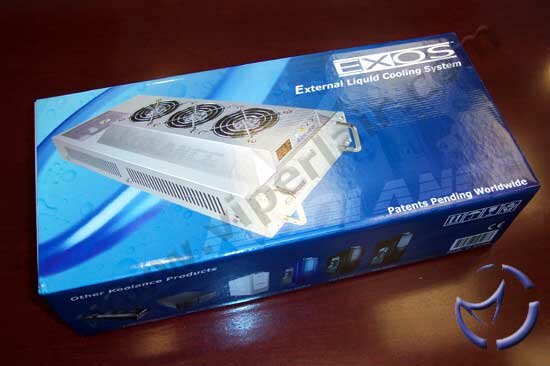
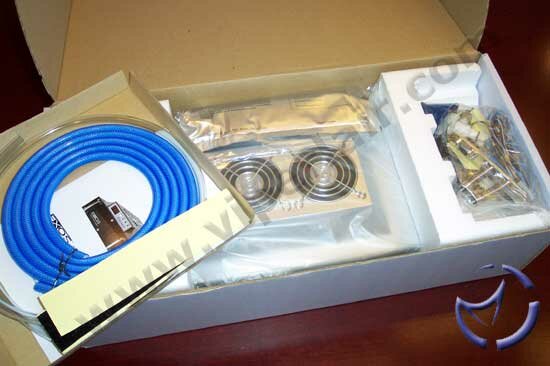
Depending on your needs, there can be up to two parts to the package. The primary box houses the Exos-Al itself. The box cover (which slides off to reveal the main bax) prominantly displays the Exos-Al, as well as the box contents, and some product information. Once we open the package up, we can see that everything is neatly packed and secured.
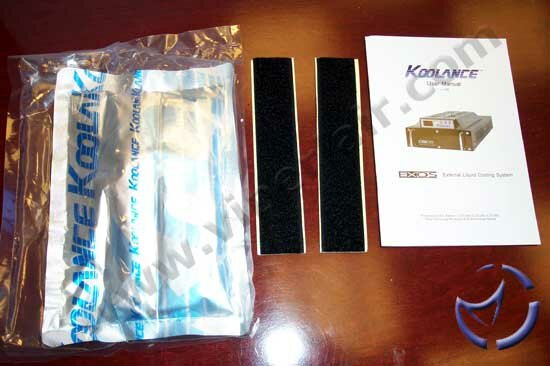
Other than the Exos-Al, we have a packet of the cooling solution, pre-mixed, and sealed in a transparent plastic bag. There are also a couple of velcro straps as well as an instruction manual which is very well put together. A serial cable is included to connect the Exos to the PC, some mounting accessories, and a small funnel to pour the liquid into the unit. There are a couple of hoses provided, where the clear hose is for the block connections inside the PC, and the blue hoses for the external connections from the Exos to the PC.
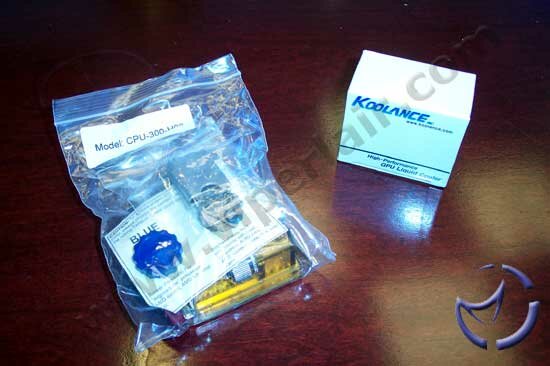
By default, there aren't any water blocks included. Therefore, if you order them, this would be the second part of your package. We received both their CPU-300-H06 CPU block and their GPU-180-L06 GPU/Northbridge block, which we will go into more detail later on in the review.
The Koolance Exos Al
As stated earlier, the Koolance Exos-Al is a self contained water cooling solution. The unit measures 18.4cm x 47cm x 9.5cm (width x length x height), and weighs 1.8kg (weight will be slightly more when filled) which is almost half the weight of their previous model. On both sides of the Exos-Al are some large vents for the air intake.
Moving to the front, we get a look at the clear acylic front panel, and a couple of handles similar to what you would find in a rack mounted case. Just above the front panel is the fan unit. The LED displays the temperature in your choice of Celcius (°C) or Fahrenheit (°F). We'll discuss this fan unit in more detail later on in the review.
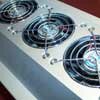
Like the previous Exos, the three 80mm fans are temperature controlled. All three fans are configured to exhaust the air through the top of the unit. As we've mentioned earlier, the cool air is drawn in through the side vents.
One improvement Koolance did with the new Exos is they moved the filling hole from the bottom of the unit to the top. This is much more convenient, as you no longer have to flip the Exos over to refill and maintain the reservoir.

There are only a couple of connections from the Exos to the PC and those are the hose inlets/outlets and the serial connection for operating the unit. These connections pass through an included PCI backpanel which needs to be installed into the case.
The inlet/outlets are reversable, meaning, it does not matter how you connect the hoses, so long as both are used. According to Koolance, there is only a 1°C variance between either order, but I think that for future revisions, it'd be a good idea to label which is which anyways.
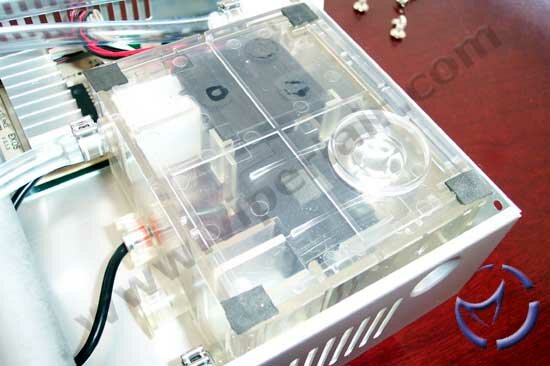
Inside the Exos-Al, we get a look at the various components that make up the cooling kit. The Inlet/Outlet connections lead to the heat exchanger and the dual water pumps and reservoir. The flow rate of the pumps are ~1.03L/min, and because it is a dual pump design, there is some redundancy. Should one pump fail, the second should maintain an acceptable flow rate until you replace the unit. Koolance rates the Exos-Al with a maximum hose length of 5 meters, which you probably won't reach with the majority of setups.
The radiator is composed of an aluminum mesh, and in the second picture to the right, we can see it is webbed between 13 horizontal liquid paths. Since the heat exchanger is made of aluminum, there is almost no weight to it, even when filled with water.
NEXT