
Based on the VIA K8T800 Pro chipset, the EQ3901 carries VIA's most advanced Socket 939 Athlon FX/64 AGP based chipset as the heart of its SFF. Supporting a number of modern features, including the long awaited AGP lock from VIA, the EQ3901 makes the most of it by including what it can fit into its SL-B9D-FGR motherboard.
The EQ3901 uses an Intel style heatsink retention system, which relies on four anchor points rather than the latch system typical to AMD 754/939 setups. There are two DIMM slots, supporting up to 2GB of DDR400 (officially) Dual Channel ram. We tested the system with Corsair TWINX 3200XL, but the system ran fine with Kingston's HyperX PC4300 as well.
Both the North (VIA K8T800 Pro) and South (VT8237) Bridges are passively cooled, with the North Bridge using a larger heatsink. Given the small confines of the setup, an actively cooled system probably would have been a wiser choice but as we'll get into later, the EQ3901 ran very smoothly. There are two IDE channels available, supporting up to ATA133 and four devices through a traditional Master/Slave configuration. Along with the IDE storage subsystem, there are two SATA connections that support single, RAID-0, and 1 setups thanks to VIA's VT8237.
Expansion is limited to one PCI and one AGP. The AGP slot is located on the outer edge of the EQ3901 and given its location, video cards with large coolers, such as the NVIDIA 6800 Ultra and some Radeon X800 cards, will not fit in the system without modification to the side panel. This is the only flaw we were able to find with the SL-B9D-FGR motherboard, which is well laid out outside of this issue.

Despite larger cards being out of the question, Soltek does include a hefty PSU rated at 300W. We loaded up our PC with a couple DVD drives, two Seagate 7200.7s, 1GB of ram, an Athlon 64 and Radeon X800 Pro and the EQ3901 never hiccuped under load.
BIOS
Soltek's Pheonix BIOS allows a fair amount of tweaking, much more than we have gotten accustomed to in our previous SFF reviews. Diving right into the Advanced Chipset Features, there are some adjustments the user can make to optimize system performance. To adjust the HyperTransport bus, you'll need to head on over to the LDT & PCI Bus Control page. The Upstream LDT Bus Width and Downstream LDT Bus Width have options of 8 bit or 16 bit. For the LDT Bus Frequency, we have options for Auto, 1 GHz, 800, 600, 400, and 200 MHz in that order.
Your memory options aren't terribly extensive, but you do have some control over the memory frequency, which can be allowed to auto tuned to the FSB, or hard locked up to 200MHz (DDR400). You can also set the memory timing to 1T or 2T, as well as the CAS# to Auto, 2.0, 2.5 and 3.0. RAS# to CAS# delay can be set from Auto, 2.0 to 7.0.
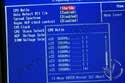
Moving on to the Frequency control, you can set the CPU ratio from 4x to 25x. The ratio is preconfigured to multiplier x 200MHz, but this can be overridden by manually keying in the CPU clock up to 250FSB.

Other than the basic CPU overclocking options, the other item of interest for tweakers is the presence of an AGP lock. For maximum stability, it's suggested that you keep it at 66MHz. The voltage options are decent for a SFF as well. For the CPU, maximum voltage tops out at 1.7v, while AGP and DDR max out at 1.8v and 2.9v respectively.
Test Setup
Soltek EQ3901-300P: Athlon 64 3500+, 2 x 512MB Corsair TWINX PC3200, ATI Radeon 9600 XT, 160GB Seagate 7200.7, Windows XP SP1, ATI Catalyst 4.12, VIA Hyperion 4.55.
MSI K8N Neo2: Athlon 64 3500+, 2 x 512MB Corsair TWINX PC3200, ATI Radeon 9600 XT, 160GB Seagate 7200.7, Windows XP SP1, ATI Catalyst 4.12, NVIDIA Unified 5.10.
MSI K8T Neo2: Athlon 64 3500+, 2 x 512MB Corsair TWINX PC3200, ATI Radeon 9600 XT, 160GB Seagate 7200.7, Windows XP SP1, ATI Catalyst 4.12, VIA Hyperion 4.55.
Going up the Soltek EQ3901-300P will be a couple full size motherboards (we did not have any AMD based SFFs handy). The MSI K8T Neo2 uses the same K8T800 Pro chipset, whereas the K8N Neo2 uses the NVIDIA nForce 3. The setups all share the same peripheral components. Onboard audio was enabled in the BIOS for all the boards, but not used during game testing.
Test Software is as follows:
SiSoft Sandra 2004 - Our standard synthetic benchmark suite. While it doesn't provide real-world information, it does give us a base for the rest of the tests.
Business Winstone and Multimedia 2004 -A scripted benchmark using real-world applications. Higher numbers are better.
SYSMark 2004 Office and Content Creation - Another scripted benchmark using real-world applications. Like the previous tests, higher numbers are better.
PiFast - A good indicator of CPU/Motherboard performance is version 4.2, by Xavier Gourdon. We used a computation of 10000000 digits of Pi, Chudnovsky method, 1024 K FFT, and no disk memory. Note that lower scores are better, and times are in seconds.
TMPGEnc 2.521 - We used an Animatrix file, titled , and a WAV created from VirtualDub. The movie was then converted it into a DVD compliant MPEG-2 file with a bitrate of 5000. Times are in minutes:seconds, and lower is better.
CDex Audio Conversion Wav to MP3 - CDex was used to convert a 414MB Wav file to a 320kbs MP3. Times are in minutes:seconds, and lower is better.
Doom 3, Quake 3, Unreal Tournament 2003 & 2004 @ 640x480 - While higher resolutions tax the video card, lower resolutions rely on CPU and subsystem speed. These results are real-world, and higher scores are better. was used to collect numbers from UT2004.
All benchmarks will be run a total of three times with the average scores being displayed. Any system tweaks and ram timings were configured to the best possible for each platform.
NEXT


