|
The BIOS
  
Click to Enlarge
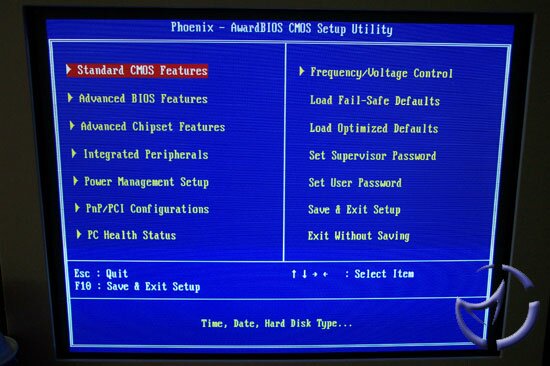
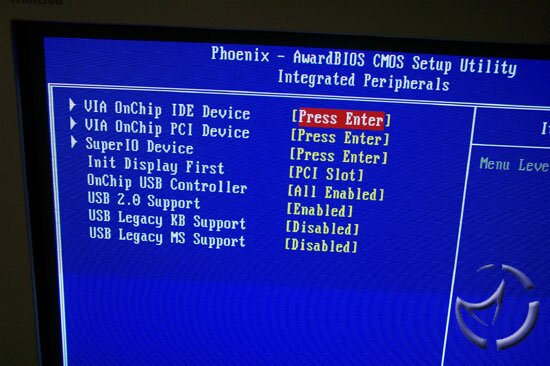
The Phoenix AwardBIOS is used for the Metis 266, and although this BIOS has proven to be very tweaker friendly in the past, this version is not as strong as the others. You have access to all the usual suspects, such as the Advanced BIOS and Chipset features, allowing you to set boot order, number of USB ports, etc.
  
Click to Enlarge
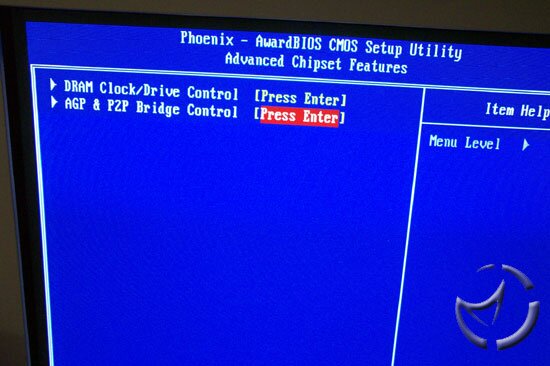
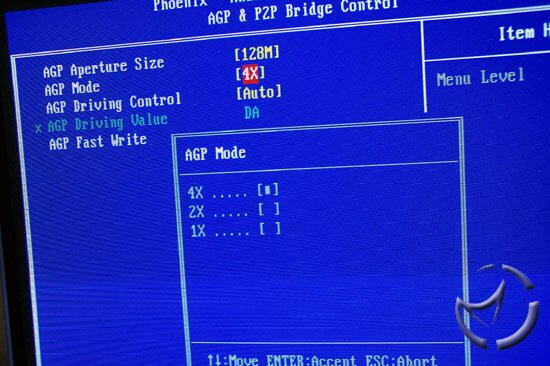
In the AGP settings, you can set aperature size, as well as AGP speed. A maximum of 4x AGP is available. There is no AGP lock though, so any overclocking will push the AGP bus as well. For the memory, you can make some minor adjustments, such as CAS latency, as well as make some changes to various other timings. there is no option to adjust ram speed however, and either it will run at the specified SPD setting, or it will adjust as you change the FSB speed. There is no options such as HCLK+33, or anything like that, making the use of any ram faster than PC2100 fairly useless, unless you're overclocking, which we'll look into shortly.
  
Click to Enlarge
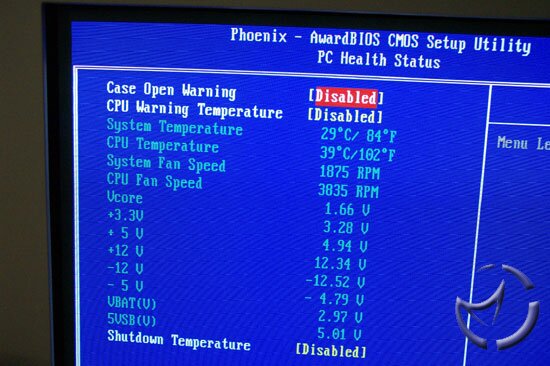
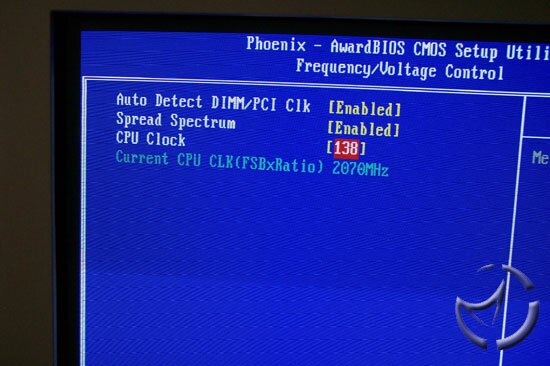
The PC Health screen will let you check in on features such as temperatures, and PSU fluctuations. The real weakness in the BIOS presents itself in the Voltage/Frequency screen. Although we unlocked our Athlon XP 2400+, there are no options in adjusting the multiplier. The unlocked XP we used defaulted to a 7x multiplier, and even if we could hit the maximum FSB of 199, the low multiplier will only allow a 1393MHz speed, which is over 600MHz under the CPU's rated speed. The above screen shot is a result of leaving the CPU locked, and was the only way to see a 2GHz+ overclock.
Also missing is the ability to actually adjust any voltages. As any overclocker can tell you, the ability to make these adjustments is crucial to getting any decent overclocking success.
Overclocking
I had some reservations about oveclocking with the stock fan, so it was removed in favor of the Swiftech MCX462+. I slapped a Delta 68CFM fan on it, and attempted overclocking without the case cover on (remember, a big fan won't allow the use of the cover). Since our unlocked CPU was stuck at a 7 multiplier, I expected some decent overclocking potential since the CPU will not be under any strain for the most part. Although the the memory support peaks at PC2100, I dropped in a stick of PC2700 Crucial to give me some OC headroom.

I was completely stunned at our end result. A 7x138 showing will not break any speed records, and is surely a dissapointing result. At 139FSB, the system won't even POST, so out of frustration, I removed the conductive grease from the L3, #5 bridge, resetting the CPU back at a 15x multiplier.
Since we were back at 15x, I figured I may as well see what the Metis can do. Knowing full well that the XP 2400+ can handle 15x165 without breaking a sweat, I keyed in 160FSB to see what happened. Pretty much as expected, a big, fat nothing. I went back to 133FSB, and started making my way up 1MHz at a time, until we reached 139FSB.
It was a little strange that we managed a higher OC with a 15x multiplier, so my guess it wasn't the CPU or the motherboard, but rather, it was the PSU. At 180W, there isn't a whole lot of juice available, so I removed all the connections and tried a Thermaltake Purepower 430W instead. Our end result was a 7x150FSB overclock. Although that result wasn't impressive either, it does expose the stock power supply as the weak link. With a 15x multiplier, we managed the same 150FSB OC.
Our conclusion is that the Metis, in it's stock form, is not well suited for overclocking. The PSU is lacking in power, and the idea of running a PSU outside of the case doesn't make a whole lot of sense to me.
Test Setup
Metis 266: Athlon XP 2400+ provided by (15x133: 2.0GHz), 2 x 256MB Crucial PC2700 Ram, 60GB Maxtor Diamondmax, Windows XP SP1, Via VIA Hyperion 4in1 Driver v4.45
MSI KT4 Ultra (KT400): Athlon XP 2400+ (15x133: 2.0GHz), 2 x 256MB Crucial PC2700 Ram, MSI MX440-T8x, 60GB Maxtor Diamondmax, Windows XP SP1, Via VIA Hyperion 4in1 Driver v4.45
Gigabyte GA-7VTXH (KT266A): Athlon XP 2400+ (15x133: 2.0GHz), 2 x 256MB Crucial PC2700 Ram, MSI MX440-T8x, 120GB Western Digital SE 8MB Cache, Windows XP SP1, Via VIA Hyperion 4in1 Driver v4.45, Detonator 41.09
I have specifically chosen to use the KT266A since it's the closest chipset that is comparable to the KM266. I am providing the MSI KT4 Ultra numbers to demonstrate the performance differences with a modern chipset. For gaming benchmarks, the Metis 266 will be using the MSI MX440-T8x, as well as the onboard Savage 4 for comparison purposes.
Test software will be:
SiSoft Sandra 2003
PC Mark 2002
PiFast
3D Mark 2001SE (1024x768)
Unreal Tournament 2003 (1024x768)
Quake 3: Arena (1024x768)
Jedi Knight 2 (1024x768)
Normally for motherboard and CPU reviews, we stick with 640 resolution to factor out the videocard. We have bumped things up to 10x8 this time since we plan on testing game performance with the Savage 4. If you're interested in the actual 640 speeds of the Athlon XP, I suggest reading our 2400+ review.
Previous Page - The Motherboard
Next Page - Application Benchmarks
|


 MSI Metis 266 SFF: With desk space at a premium, a lot of corporate types are looking towards small form factor PCs. They are also gaining acceptance with enthusiasts, but is the Metis 266 one of those SFFs they should consider?