|
The BIOS
 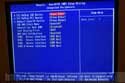
The Award BIOS, something I haven't seen for awhile, makes its way into the SS51. Their BIOS' have always been easy to navigate, and despite their merger with Pheonix, it remains easy. All the options are present, including the ability to enable or disable the onboard peripherals.
 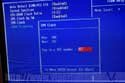
Naturally, to be accepted as a legitamate desktop replacement for enthusiasts, you have to have your tweaking options. There are ram options such as the speed and timings. More importantly, you also have dividers for your ram, which is handy for both overclocking, or if you have PC2100 ram, and don't wish to run at 166FSB.
For the CPU, you only have multiplier settings. This shouldn't be a concern since Pentium 4s are multiplier locked, but you'll have to be satisfied with FSB settings that cap at 165FSB. You can enter the clock speed in increments of 1, which should help in acheiving that perfect overclock (up to 165 of course).
Noticably missing is the lack of voltage settings. As overclockers will tell you, in order to attain stability with high overclocks, you may need to increase the voltage for various components. Sadly, you do not have that option here.
Overclocking
I did have some reservations about overclocking in such a small case, and dispite our lacklustre heatpipe performance, I decided to give it ago. We're using a Pentium 4 2.4GHz CPU, which has an 18x multiplier, so already, we were working with a high multiplier. I tried to acquire something a little slower, but wasn't able to in time for the review.
Right off the bat, I got courageous and attempted a 160FSB overclock. I was greeted with a nice blank screen, requiring a CMOS reset. I should warn you that unless you got tiny hands, there is no way to reach the jumper (for reset) unless you either remove the hard drive rack, or the video card (and possibly a PCI card, depending on the length).

I decided to back down and try a 140FSB overclock. Not surprisingly, this overclock was pretty easy, as it's only 7MHz over stock. We topped out at 142FSB. I did try to fit a Vantec Aeroflow into the case, but it interfered with the HDD cabling. I removed the hard drive rack, and tried overclocking again with the Vantec cooler, and I managed a 145FSB overclock, though running a PC without a hard drive is pretty much pointless.
Test Setup
Pentium 4 2.4GHz Northwood "B"
Shuttle XPC SS51G
2 x 256MB PC2700 Crucial
120GB Western Digital JB
Visiontek GeForce 4 Ti4600 (yes, it fits just fine)
Windows XP Professional
SiS AGP Driver 1.10A
nVidia Detonator 28.32
SiSoft Sandra
PC Mark 2002
Quake 3: Arena
Jedi Knight II: Jedi Outcast
3D Mark 2001SE
Rather than bogging you down with a dozen benchmarks at different speeds and resolutions, we're going to keep things simple. When applicable, only 640x480 scores will be displayed, as that resolution will eliminate the video card as the bottleneck.
We will be comparing benchmark scores to that of the MSI i845E Max2-BLR. I'm aware that the motherboard lacks DDR333 support, and we will be revisiting this subject at a later date.
Previous Page - The Motherboard
Next Page - Benchmarks
|


 Shuttle XPC SS51G: The Shuttle Barebone series got a major performance overhaul with the inclusion of an AGP slot. Can this be the SFF rig enthusiasts have been waiting for?


