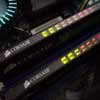
The last PC4000 kit from Corsair we've covered was one of the fastest memory kits that passed through our labs. Performance was impressive, as was the overclocking, but at the same time, there wasn't anything "special" about it. In the age of glowing motherboards, UV lighting, and flash neon cables, the TWINX looked just like any other stick of ram, albeit with an aluminum heatspreader. For the true enthusiast, there was no particular feature that made it stick out. Don't get me wrong, the quality of the ram is what really counts, and you're gonna have to pry it from my cold, dead hands to get me to switch.
Well, answered the call with the proverbial smoking gun. Just a little over two months since the initial TWINX PC4000 release comes the . At first glance, it's certainly impressive to look at with it's redone heatspreaders, and activity LEDs.

Since two months have passed, we're hoping there were some refinements made to the ram itself, and we'll be determined to find that out for you.
Specifications
|
Part Number
|
Speed
|
Size
|
Latency
|
Package
|
Specification
|
|
TWINX1024-4000 Pro
|
500 MHz
|
1GB
|
3-4-4-8
|
2x184 DIMM
|
|
As the title of the review says, the memory is sold as a kit, but they do sell individual XMS ProSeries modules. Here's a bit from Corsair's site:
"We're taking the Industry's Most Awarded Memory one better. XMS ProSeries is our most advanced memory family yet designed, optimized and tested to meet the Xtreme demands of the serious gamer. The XMS ProSeries is available now in single module or TwinX matched module pair configurations."
The Corsair TWINX1024-4000 Memory Kit
We received two 512MB sticks, tested as a pair to insure maximum performance and compatibility, and arrived in a form fitting package. There are a couple of plastic snap areas that secure the ram which will keep the modules from bouncing around during shipping.

Like past Corsair XMS modules, their ram is encased in black heatspreaders. Unlike past modules, many changes have been made to the design. There are three items of note...
The first obvious change is the sheer size of the heatspreaders. Compared to their last TWINX kit, it's about 1/4 taller than before, but shouldn't have any issues fitting on standard motherboard/case setups. Small Form Factor users though, I am not 100% certain. I've seen elsewhere that the ProSeries fits in the Shuttle XPC with no problems, and I know the ram fits in our MSI MEGA651 without issues, but I can't say if this is going to be the case with all SFF setups.
The second improvement over their past heatspreaders are the mini fins throughout. In theory, the fins increases the surface area, and should help dissipate more heat than before. In practice, the ram is still hot to the touch, though not quite as searing as before. I would imagine with "more heatsink", the heat is more evenly absorbed and dispersed.

The third change from the past kit is the integration of activity LEDs to the TWINX. There are nine activity LEDs dedicated to each memory bank (18 total). As the memory activity increases, so do the number of lights as shown below.
On the left, only a few LEDs light up when you're idle, but fire up a game of UT2003 and admire the pretty colours.
From an window modder's standpoint, the lights are going to be a big plus, as extra eyecandy will never hurt. From a reviewer's perspective, the lights are handy when testing various apps to stress memory. If I was using an app for testing memory, and there's no LED activity, I guess that app gets chucked aside. I would say the ram's LEDs would be useful for troubleshooting, as no lights mean no activity, but if that were the case (bad ram), your system speaker would beep anyways.

A closer look at the modules, and we can see the silver sticker letting you know the specs of that stick of ram. We can see that it's a 512MB stick, rated at 500MHz, with ram timings of 3-4-4-8. As many enthusiasts know, tighter timings (say 2-2-2-6) result in better performance, but as memory speeds increase, it is extremely difficult to maintain stability with such low timings. To be honest, 3-4-4-8 isn't bad at all for 500MHz. Sure, it can be better, and if our past experiences have shown us, we can expect them to do much better.
Overclocking and Stability Testing
Since we're using a 200FSB (800MHz) ABIT IC7-MAX3 motherboard, the first thing I wanted to try was what are the tightest timings I could run the TWINX at at 200FSB. We left the Game Accelerator at Auto to start. The default SPD timings were 3-4-4-7, but after a bit of tweaking, it appears that 2-3-3-5 is about as low as we can go.
 |
 |
|
200FSB (400MHz) @ SPD
|
200FSB (400MHz) @ Tweaked
|
As with our last TWINX kit, the ProSeries is officially spec'd at 3-4-4-8, but in our IC7 BIOS, the SPD speeds were 3-4-4-7. So, in case you never get around to tweaking your ram, Corsair does a little for you at the factory. We did have to increase our voltage to 2.7v though, as per specifications.
The ProSeries was also able to handle Street Racer settings at 2-3-3-5, which was something I wasn't able to do previously with the original TWINX kit (2-4-3-6 worked).
Next thing we did was to adjust the timings and to see what the TWINX would allow us to tweak to. At 250FSB, the best we managed was…

250FSB (500MHz) @ Tweaked
The ram was completely stable, and passed MemTest without any problems at 2.5-3-3-6. Memory voltage did need a boost to 2.75v though. At these timings, the highest we were able to get to, at 2.9v, was 256FSB. I did the "do not do" and jacked the voltage up to 3.2v, but no change. I should mention that the Game Accelerator needed to be at Auto at this point, as any other setting caused a system hang.
So, I guess that's enough with the foreplay, so let's get serious now. Staying at 1:1 CPU and Memory, we went out to find out our maximum overclock. Just a reminder... the reason for staying at 1:1 was to figure out the maximum memory OC. The ABIT doesn't offer asynchronous adjustments above 1:1; i.e., 3:4, 5:6, etc... but seeing how we managed to get our CPU as high as 301FSB (running at 5:4), I knew the processor wasn't going to be the bottleneck.
So, what was our maximum overclock?

290FSB Max OC
To be able to run your ram 1:1 at 290FSB is simply unbelievable. Now, it'd be a lie to say we were stable at this point. I was running the ram at 3.0v at this point, which isn't something I'd suggest doing for any extended period of time. Even with a Delta 68CFM blowing on the ram in an open case environment, the system would crash randomly after a few minutes. I managed to grab the CPU-Z screenshot, but had to use MS Paint to save it as Adobe Photoshop wouldn't start. In fact, almost every benchmark program was unresponsive at this speed.
Moving down to 288FSB brought some stability back (we're still at 3.0v), but the system still periodically rebooted itself, at totally random intervals. Moving to 3.2v didn't help matters, so we had to lower our speed a little more. At 285FSB, everything was golden. I lowered the voltages back down to a safer 2.9v, and the ram remained stable.
Test Setup
ABIT IC7-MAX3: Pentium 4 2.4C, 2 x 512MB Corsair TWINX1024-4000 ProSeries, ATI AIW Radeon 9800 Pro, 120GB Seagate, Windows XP SP1, ATI Catalyst 3.6.
Benchmarks will be presented at 200FSB, 250FSB and maximum OC. Keep in mind that the numbers at maximum OC will be skewed since we're running 1:1 and the CPU's speeds will be different when showing each memory's OC speed. There isn't anything I can do with this since it's impossible to set the memory speeds independently with the CPU FSB unless we go with a lower memory divider.
Test Software for both platforms will be:
AVI-to-MPG Encoding
Unreal Tournament 2003
Game Accelerator will be configured at Street Racer for 200FSB, and Auto for the rest. Competing sticks will be OCZ's 1GB PC4000 EL Gold, and the original Corsair TWINX1024-4000. At 200FSB, all the ram kits will be running at 2-3-3-5. At 250FSB, the ProSeries will be running at 2.5-3-3-6, whereas the other two kits will be at 2.5-4-3-6, since neither could do 2.5-3-3-6.
SiSoftware Sandra 2003 Memory - Pentium 4 @ 12x200
Although a synthetic benchmark, it's a popular one, freely available if you wish to make comparison benchmarks. We will be testing the memory speeds only. All memory timings are at 2-3-3-5. The Corsair TWINX1024-4000 ProSeries will be indicated as TWINX4000 PS.

Scores are dead even between the two TWINX models, and the OCZ trails the pack by a significant margin. Scores are a little higher than our last PC4000 reviews given that the Game Accelerator is enabled.
SiSoftware Sandra 2003 Memory - Pentium 4 @ 12x250

All the ram modules scaled accordingly, but this time the ProSeries opens it up a little more. Remember though that the ProSeries is running at 2.5-3-3-6, whereas the other two kits are at 2.5-4-3-6. I wasn't about to handicap the ProSeries if it was capable of running at timings the other kits could not.
SiSoftware Sandra 2003 Memory - Pentium 4 @ Maximum OC (TWINX4000 PS @ 285FSB)

In case you missed it in our last reviews, the original TWINX kit is clicking away at 272FSB, and the OCZ Gold at 280FSB. Considering the ProSeries can handle much higher overclocks, it really flexes its muscles here. Keep in mind that all memory modules are running at 3-4-4-8, 2.9v.
PC Mark 2002 - Pentium 4 @ 12x200

No changes between the two TWINX kits, and as with SiSoft, the OCZ Gold falls quite a bit behind.