|
Written By:
Date Posted: April 26, 2002

The HPT372 IDE RAID controller is featured on this board, and works very well indeed, with a surprisingly easy setup. I have never even seen a Raid setup before, and even I was able to have an array set up and configured to go in seconds thanks to the High Point Raid BIOS setup (if I can do it, so can the dumbest of people  ). ).
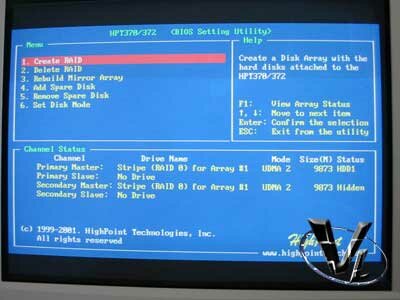
The High Point provides you with Raid 0, 1 and 0+1. The main highlight of this controller is its ATA133 Support, which I will look into and benchmark later on.
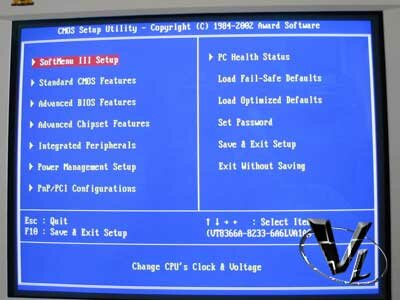
The Soft Bios III is in full effect on this board, and is the only way to set up the board as it features full jumperless setup (the only jumper on the board is the CMOS discharge jumper for clearing the CMOS).
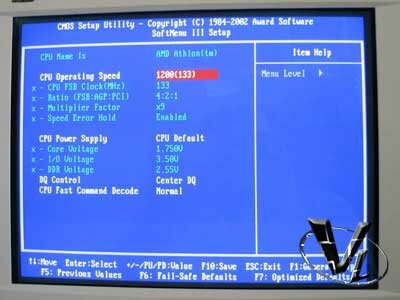
The bios as on other Abit boards is a joy to work with, and gives very impressive control of pretty much every aspect you could want, from increasing the FSB in 1mhz increments to even increasing the voltage of the DDR.

Navigation is easy and intuitive, making adjustments during setup or overclocking quick and painless.
Installation
The KR7A supports all the latest AMD CPU's straight out of the box, including correct display of each during post, so if you have an XP1900+ it will say it's an XP1900+ not a 1600 whilst the true speed of the CPU is displayed in the bios. One thing I did find surprising, is that just like the KG7, the thermal diode for the XP chips is once again not supported. I would have thought this would have been there, but ah well. There is the thermal probe placed inside the CPU socket itself, which I had to bend up a little to make sure of good contact, but this won't stop you from frying your chip in the way the thermal diode would have done. Don't let this put you off though, people have had to do without the thermal diode on the Thunderbirds for ages now, so whilst it would have been a nice safety addition, it isn't something I would use as a deciding factor against this board.
When I built this machine, I used nothing but buffered ram, 256x4 to be precise, so I cannot confirm if the DIMMS will still cause problems with un-buffered ram if filling in more than 2 slots is still there or not. I would guess it still is, but that is just a guess. With the price of un-buffered and buffered ram being as close as they are at the moment, I'd recommend getting buffered if using more than 2 DIMM slots.
Previous Page - A Closer Look
Next Page - Performance
|


